SoftwareDevelopeRx.com - GitHub Pages site - Jekyll

SoftwareDevelopeRx.com - GitHub Pages site - Jekyll
The following is a personal note, as mentioned in the article Writing for ‘Future of Me’
- Domain
- configuration to GitHub Pages site
- Jekyll as a static site generator
- setting the theme: minima
- file _config.yml
- folder: _layout
- folder: _includes
- strategy:
- Landing Page
- for Homepage
- per Topic / Category
- Bilingual EN/ID
- Landing Page
The website softwaredeveloperx.com is handled as follows:
- GitHub Pages connected to the Repo https://github.com/softwaredeveloperx9/softwaredeveloperx9.github.io
- using Jekyll {available at https://github.com/jekyll/jekyll or https://jekyllrb.com}
- entry point:
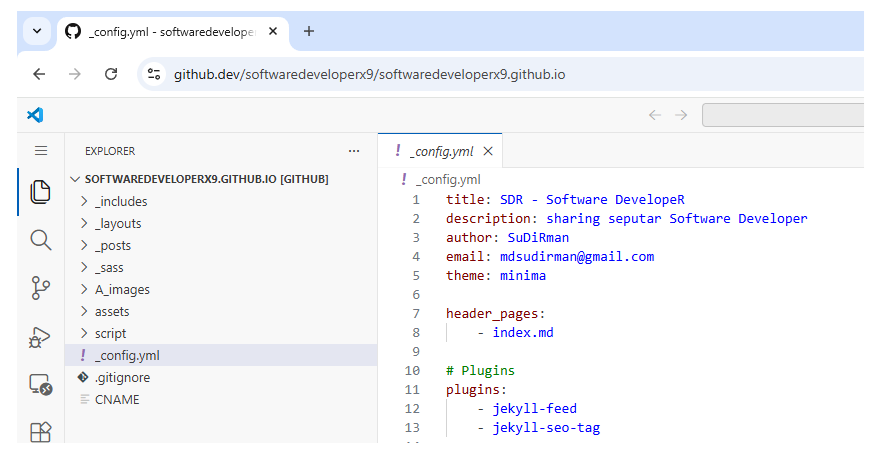
_config.ymlfile - theme:
minima
Nice to have
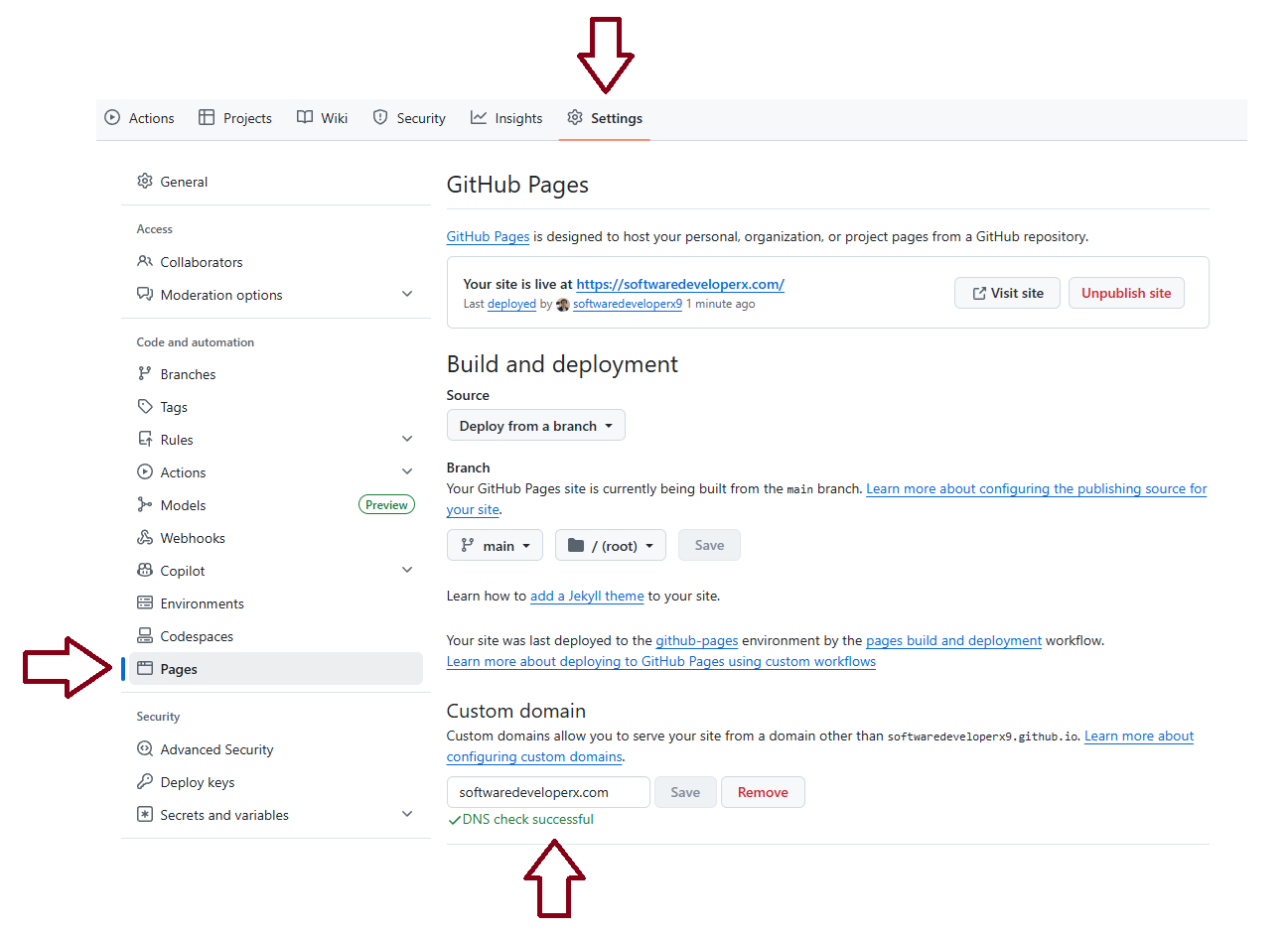
- configure GitHub Pages to use Custom domain - softwaredeveloperx.com
for Repo https://github.com/softwaredeveloperx9/softwaredeveloperx9.github.io CNAMEfileJekyllconfiguration
Next step
- download the
minimatheme at https://github.com/jekyll/minima - extract to the Root Folder
- configure the _config.yml file
Result after extracting the minima theme
Configuring GitHub Pages with Custom domain - softwaredeveloperx.com
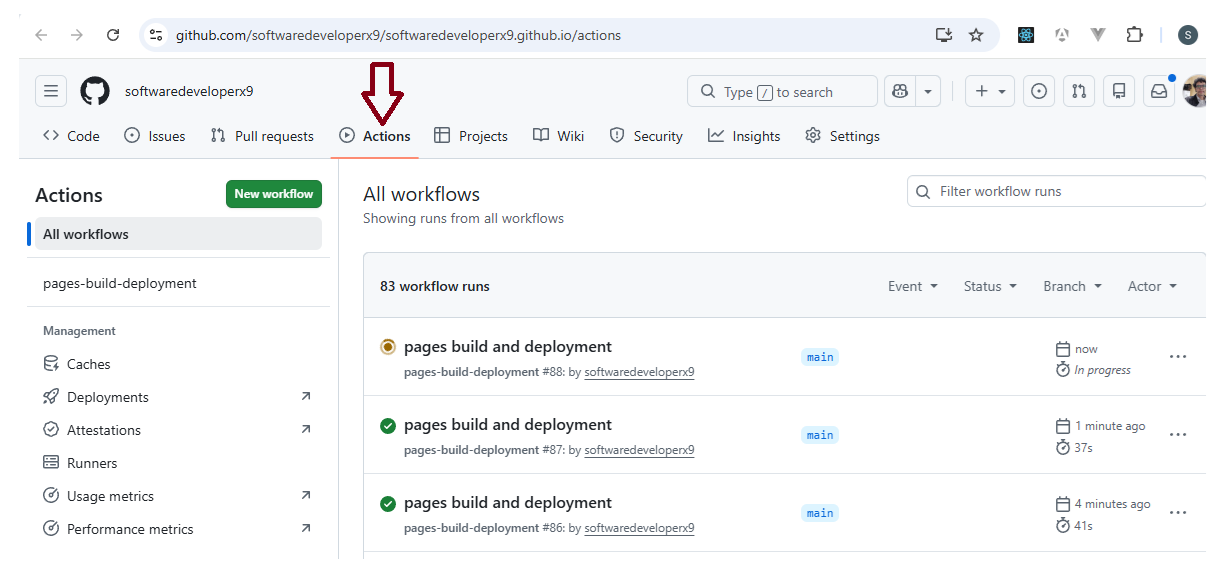
Deploy
The deployment process can be seen here:
Summary: files added and changed
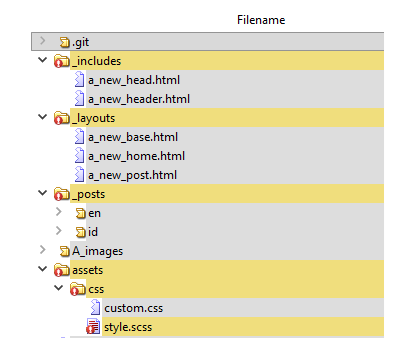
Files I added and/or modified:
- _config.yml
- index.md
- and several files across multiple Sub-Folders:
DO NOT: prefix _
Underscore _ in Jekyll = “this is a Jekyll system folder/file, not public content”.
All Jekyll internal folders use _:
_posts/      ← system
_layouts/    ← system
_includes/   ← system
_sass/       ← system
_drafts/     ← system
⚠️ Warning:
I once created a layout file called
_new_post.html{fileName with _ prefix}, but it did not work {for the reason above}
Google Search
I had no intention at all of appearing in Google Search.
But in the context of a website, everyone manages to show up in Google Search.
Why couldn’t I?
Skill issue?
Let’s do that:
- add plugin
jekyll-sitemapto _config.yml
so that https://softwaredeveloperx.com/sitemap.xml is generated - register to Google Search Console
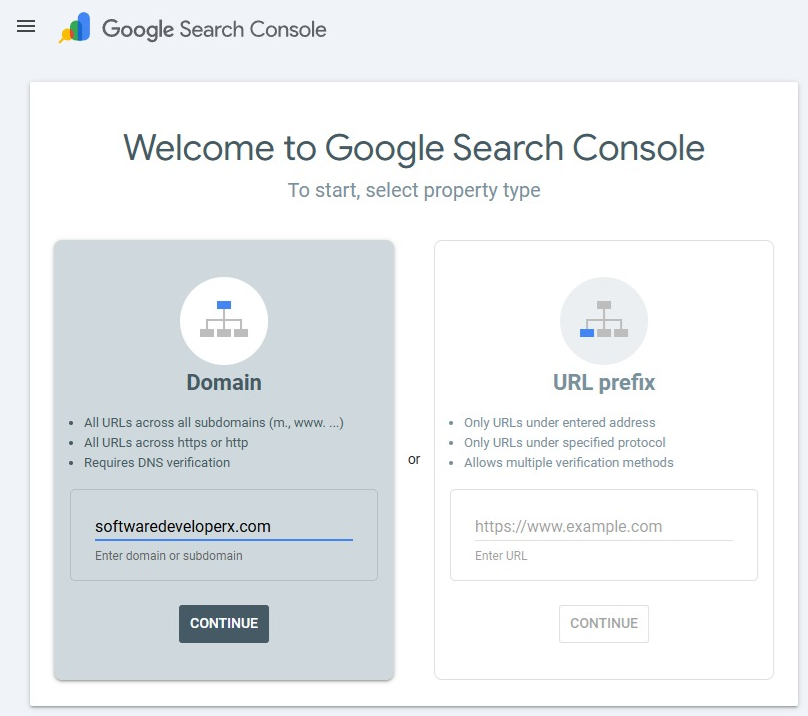
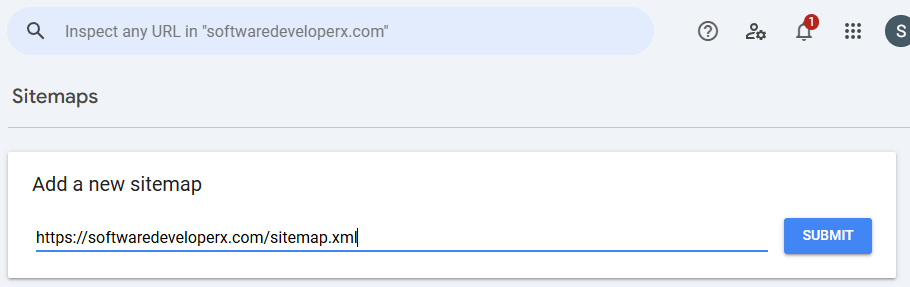
Landing Page and Bilingual EN/ID
My idea was as follows:
- Landing Page
- for Homepage
- per Topic / Category
- Bilingual EN/ID
The combination produces:
- EN https://softwaredeveloperx.com/
- ID https://softwaredeveloperx.com/id/
- SharePoint topic EN https://softwaredeveloperx.com/sharepoint/
- SharePoint topic ID https://softwaredeveloperx.com/sharepoint-id/
How?
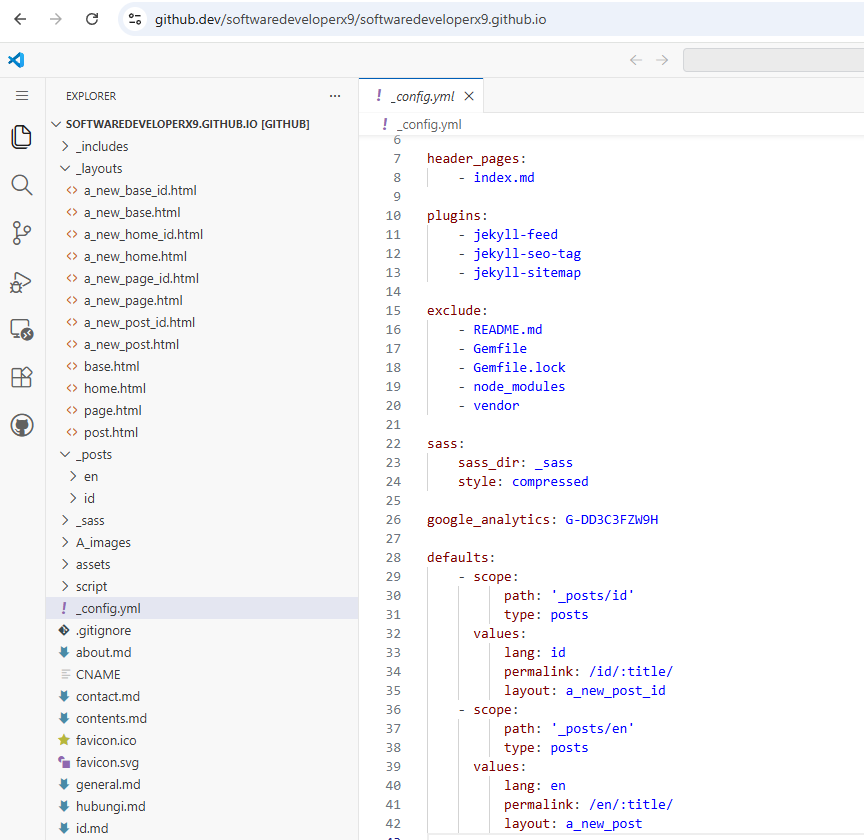
Looking at the image above:
- it starts from _config.yml
- then the folders:
_layoutand_includes - and several files:
- index.md
- id.md
- sharepoint.md
- sharepoint-id.md
- tulisan.md
- contents.md
- … {and other .md files}
Why Bilingual EN/ID? Isn’t AI enough?
I am fairly fluent in speaking and writing in Bahasa Indonesia.
My English?
not too good
I hope to start learning to write in English.
Even though in the very beginning, I requested AI to help me.