Request: to AI effectively and efficiently {the right Tone}

Request: to AI effectively and efficiently {the right Tone}
Situation:
I need an effective and efficient way to request something from AI:
- no over-explaining
- no long paragraphs
- AI immediately understands everything that is needed
Solution
- provide enough context
- not excessive instructions
Too Few vs Too Much
❌ Too Few   → Incomplete, not useful
❌ Too Much  → Overwhelmed, information overload
✅ Pragmatic
I need to find the sweet spot – the one that feels “just right”.
The right Tone
not rigid instructions like: “make me a code for…”
but rather like talking to a teammate who is very smart:
I have A and B
please help me make C
following the pattern of A and B combined
the difference:
- rigid → AI answers literally, nothing more
- natural → AI understands the intent, the result is far better
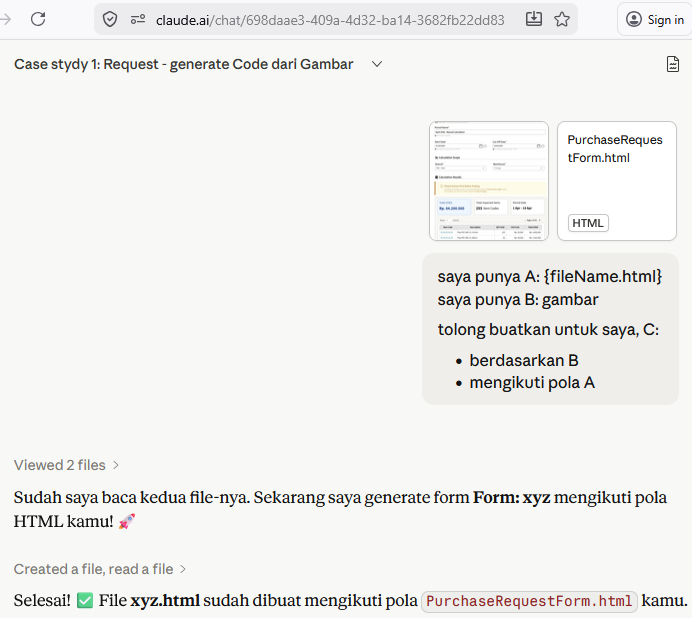
Case study 1: Request - generate Code from an Image
I have A: {fileName.html}
I have B: an image
please make C for me:
- based on B
- following the pattern of A
Description:
- A = pattern/style reference
- B = content/layout reference
- C = desired output
example:
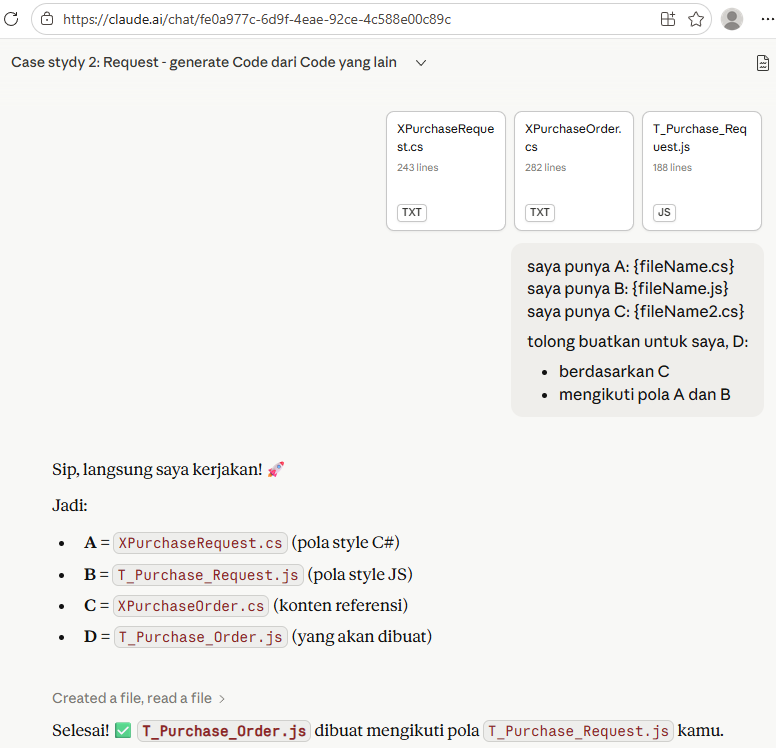
Case study 2: Request - generate Code from another Code
I have A: {fileName.cs}
I have B: {fileName.js}
I have C: {fileName2.cs}
please make D for me:
- based on C
- following the pattern of A and B
example:
Fine-tune the Tone
In certain situations, I often need to fine-tune the tone I’ve been using — to get a response from AI that better matches what I actually expect.
Pattern 1 — Visual as Spec
I have A: an image
please make B for me:
- based on A
example:
“convert this image into an HTML Fragment”
Image = spec. No need to describe it in lengthy paragraphs.
Pattern 2 — Complete, not Create
I have A: {existing file}
I have B: {reference}
please complete A:
- so that it matches B
example:
“please complete this, so that it matches the .MD file”
not “build from scratch” — but “complete what already exists”.
AI immediately understands the context and its boundaries.
Pattern 3 — Minimal Bug Report
I have A: {screenshot}
please fix:
- the part that looks “not ok”
example:
“the % part doesn’t look quite right”
5 words. AI immediately knows the problem, immediately fixes it.
Pattern 4 — Scoped Correction
I have A: {code snippet}
please explain:
- this part only
- no need to change any file
example:
“no need to modify the .MD file, just explain this part”
explicitly limiting the scope — AI does not over-deliver.