Data Model part 3 - out of sync Database Object {Table, View} vs Model {BackEnd}

Data Model part 3 - out of sync Database Object {Table, View} vs Model {BackEnd}
Situation
out of sync Database Object {Table, View} vs Model {BackEnd} can happen due to:
- Add / Update / Delete processes
- on the Database Object {Table, View}
- as well as on the Model {BackEnd}
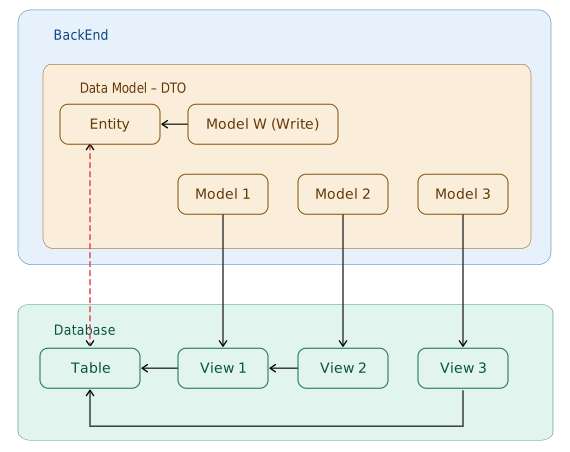
Solution
Use a Prompt like the following:
I have A: {fileName_DB_Object.sql}
I have B: {fileName.cs}
please check B, fix anything that is “not correct”:
- based on A
This
Promptpattern is an implementation of:
Request: to AI effectively and efficiently
Guideline:
- Database Object {Table, View}
- as the “Source”
Example case: a new column in the Database, forgotten to be updated in the Model {BackEnd}
Situation:
- a new column:
ApprovalStatuswas added to the Sales OrderTable - the Model {BackEnd} was not updated
The effect:
- when Writing data → the
ApprovalStatuscolumn is alwaysNULLin the Database - when Reading data → the
ApprovalStatusfield is absent from the API response - FrontEnd cannot display data that should be there
- bugs like this are hard to trace — no error is thrown, data just “silently disappears”
silent bug — more dangerous than an obvious error
Why is the Database Object the “Source of Truth”?
- The Database is the final endpoint of the data
- if the Database and Model are out of sync → stored data can be wrong, or data cannot be read
- conversely: if the Model is used as the “Source” → risk of mismatch with the actual Database structure
Database Object = ground truth
Model BackEnd = must follow the Database